
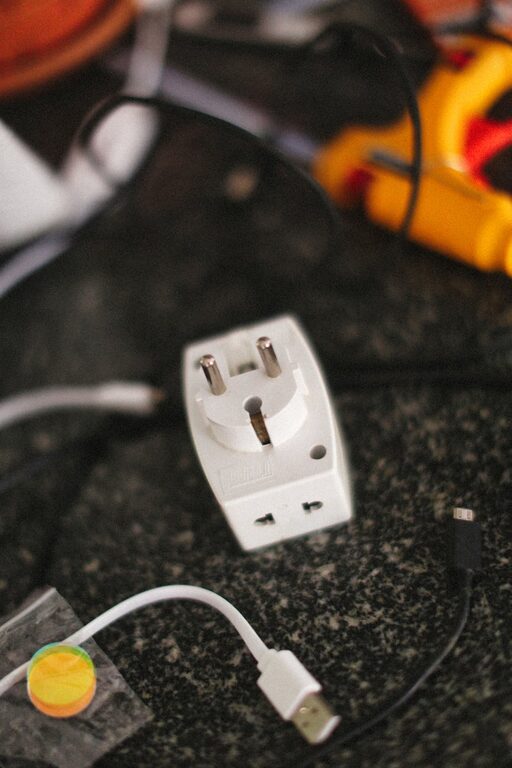
Setting up a dedicated charging station for your devices is a great way to keep cords tidy, devices powered, and your space clutter-free. Whether you have smartphones, tablets, smartwatches, or wireless earbuds, a well-planned charging station makes daily charging hassle-free and organized. In this guide, we’ll walk you through everything you need to know to set up a smart and efficient charging station at home or in the office.
Why You Need a Charging Station
We all have multiple gadgets that require charging daily. When these devices charge all over the house, it creates clutter, misplaced cords, and confusion about which device is charged or still needs power. A central charging station:
– Saves time by consolidating charging in one place
– Protects your devices and cords from damage
– Helps you keep track of charging schedules
– Keeps your space neat and organized
Choosing the Right Location
Start by selecting a convenient, well-ventilated spot for your charging station. Consider:
– Accessibility: Pick a location you visit frequently, such as near your desk, living room, or bedroom
– Power source: Ensure there is a nearby electrical outlet with enough plugs or the option to use a power strip
– Surface space: Choose a flat, stable surface like a side table, shelf, or desk
– Cable length: Make sure cables from the outlet reach the station comfortably
Supplies You’ll Need
Here’s a list of common items to create a functional charging station:
– Multi-port USB charger or charging hub: Allows charging multiple devices from one power source
– Power strip: If you need more outlets for larger charger plugs
– Charging cables: Ensure you have the right types (USB-C, Lightning, Micro-USB) and sufficient length
– Cable organizers: Clips, sleeves, or boxes to keep cables tidy
– Device holders or stands: To keep phones, tablets, or watches upright and visible while charging
– Storage trays or baskets: For keeping smaller accessories like earbuds, chargers, or adapters out of the way
Step-by-Step Setup Guide
1. Declutter and Prepare the Space
Remove any unnecessary items where your charging station will be. Clean the surface and make sure it’s free of dust. This helps the area look neat and organized.
2. Plug in Your Power Strip or Charging Hub
Place your power strip or USB charging hub on or near your chosen surface. Avoid forcing plugs into a crowded outlet. Use a power strip with surge protection to keep your devices safe.
3. Sort and Position Your Charging Cables
Connect charging cables to the hub or power strip. Use cable clips or ties to bundle excess cable length neatly behind or under the table. Position the cables so devices can comfortably rest while connected without tension.
4. Arrange Device Holders and Storage
Place any device holders or stands on your surface. If you don’t have stands, a simple small tray or basket can prevent phones and tablets from sliding around the surface.
5. Organize Accessories and Extras
Use small containers or sections for chargers, adapters, earbuds, and other accessories to keep everything tidy and easy to find.
6. Test and Adjust
Plug in your devices to test the setup. Check if the devices fit well, cables aren’t strained, and the arrangement works for your regular routine. Adjust as needed.
Tips for Maintaining Your Charging Station
– Label cables if you have many that look similar to save time when grabbing the right one
– Regularly dust and clean the charging area to keep it pleasant and safe
– Charge in cycles: Rotate devices as needed to optimize usage and charging times
– Avoid overloading outlets: Use a charging hub with enough ports rather than stacking adapters
Optional Upgrades
– Wireless chargers: Integrate wireless charging pads to reduce cable clutter further
– Smart plugs: Automate power to your station to avoid wasted electricity when devices are fully charged
– Decorative touches: Add small plants or decorative items nearby to make the station attractive and blend into your home décor
Final Thoughts
By setting up a dedicated charging station, you simplify your daily routine and protect your valuable devices. With careful planning and a few simple tools, you can create a spot where all your gadgets recharge quickly and safely. Start small and adapt as your device collection grows—an organized charging station is always within reach!